

DbDefence Installation
Important: You can only install DbDefence to local SQL instances. DbDefence can't be installed remotely!
If you need DbDefence on several instances, run the installer severl times for each instance.
DbDefence can be installed using the interactive installer or it can be installed manually. You can read more about how to perform a manual command line installation in the Distribution section.
DbDefence will initially be installed as a free version, but after activation with a valid activation key, the installation will switch to the full, unlimited version.
The Free Version can be used in commercial projects. However, the Free Version has a limited database size of up to 30 Mb. You can read more about obtaining the full version.
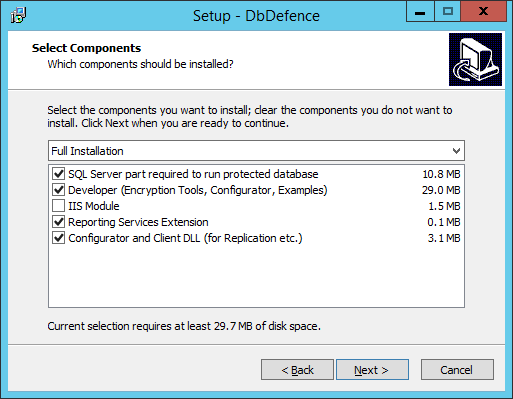
De-selecting Server Part Installation will skip the installation on the SQL Server.
De-selecting Client Side Installation will prevent installation of the encryption tools and the documentation. In this case, only the configuration and decryption tools will be installed.
"IIS Module" is a very specific component. In most cases it is not required, but it may slow down IIS performance.
If you are performing a server-side installation, you will need to login to the SQL server as Administrator:
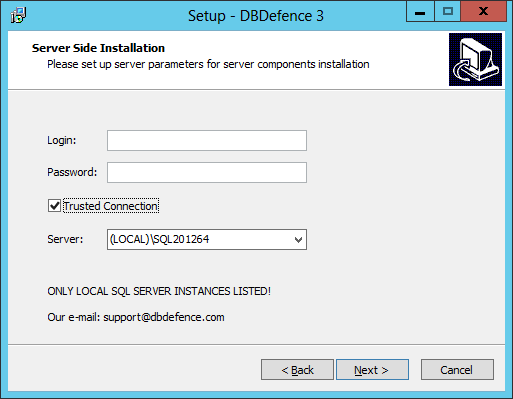
If you want to upgrade from a previous version, you do not need to uninstall the previous version. However, you will still need to restart the SQL Server instance to apply the changes.